Automated SEO Tools: A Step-by-Step Guide for 2026
Learn how to use automated SEO tools in 2026 to boost your AI search visibility. Step-by-step guide covers setup, optimization, tracking, and common mistakes.
Key Insight | Explanation |
|---|---|
AI search demands new tools | As of 2026, over 60% of search queries touch an AI-powered engine like ChatGPT, Gemini, or Perplexity. Automated SEO tools now must optimize for both traditional and AI search. |
Automation replaces manual grunt work | Daily content publishing, technical audits, and keyword research can run on autopilot, saving SMBs 20+ hours per week compared to manual SEO workflows. |
Cost has dropped dramatically | Traditional SEO agencies charge $3,000+ per month. Automated platforms like Moonrank deliver comparable results for a fraction of that cost, starting at $99/month. |
Technical optimization matters more than ever | Schema markup, llms.txt files, structured data, and citation signals are now critical for AI engines to understand and recommend your brand. |
Tracking AI visibility is non-negotiable | You can't improve what you can't measure. Monitoring how ChatGPT, Claude, and Gemini reference your brand is a distinct discipline from tracking Google rankings. |
A structured approach yields the best ROI | Following a clear step-by-step process for selecting, configuring, and scaling automated SEO tools prevents wasted spend and accelerates results. |
Table of Contents
Introduction
What You'll Need / Prerequisites
Step 1: Audit Your Current SEO Baseline
Step 2: Choose the Right Automated SEO Tool
Step 3: Configure Automated Keyword Research
Step 4: Set Up Automated Content Publishing
Step 5: Optimize Technical SEO for AI Engines
Step 6: Track AI Search Visibility Across Platforms
Step 7: Analyze Results and Iterate Monthly
Common Mistakes to Avoid
Sources & References
Frequently Asked Questions
Conclusion
Introduction
Automated SEO tools are software platforms that handle search engine optimization tasks, including content creation, technical audits, keyword research, and performance tracking, without requiring constant manual input. They've become essential for businesses competing across both Google and AI-powered search engines in 2026.
Here's the problem most small and mid-sized businesses face: SEO is no longer just about ranking on Google. ChatGPT, Gemini, Claude, and Perplexity now shape how millions of people discover brands, products, and services. Yet the typical SMB owner doesn't have 20 hours a week or $3,000+ per month to spend on an agency that may not even understand AI search optimization.
That's where automated SEO tools come in. They compress weeks of manual effort into minutes. They publish optimized content daily. They monitor your visibility across AI search engines. And the best ones do all of this on autopilot.
In this guide, you'll learn exactly how to evaluate, set up, and scale automated SEO tools for your business. We'll walk through seven concrete steps, from auditing your current baseline to tracking your brand mentions in AI search results. Expect this process to take roughly two to four hours for initial setup, with ongoing management requiring less than 30 minutes per week.
Difficulty level: beginner to intermediate. You don't need coding skills or prior SEO experience. For foundational understanding of how search engines work, the Google Search Central SEO starter guide is an excellent resource to review before diving in.
What You'll Need / Prerequisites
Before selecting any automated SEO tools, you need a few foundational elements in place. Having these ready will cut your setup time in half and prevent common configuration errors.
Essential Tools and Accounts
Gather the following before you begin:
A live website with a content management system (WordPress, Webflow, Shopify, or similar)
Google Search Console access, verified and connected to your domain
Google Analytics 4 installed and collecting data
Admin access to your website's DNS settings and CMS backend
A clear list of your target audience, including their primary questions and pain points
Your top 5-10 competitor URLs for benchmarking purposes
Knowledge Prerequisites
You don't need to be an SEO expert. But a basic understanding of these concepts will help:
What keywords are and why they matter for search visibility
The difference between on-page SEO (content, headings, meta tags) and technical SEO (site speed, schema markup, crawlability)
How AI search engines like ChatGPT and Perplexity generate recommendations differently from Google's traditional link-based rankings
The concept of AI search optimization, sometimes called Generative Engine Optimization (GEO) or Answer Engine Optimization (AEO)
If terms like "schema markup" or "llms.txt" are unfamiliar, don't worry. We'll cover them in the technical optimization step. The Schema.org getting started guide provides helpful background on structured data standards. The right automated SEO tool handles the complexity for you.
Pro Tip: Export your current Google Search Console data (last 90 days of queries, clicks, and impressions) before starting. This gives you a clean baseline to measure the impact of any automated SEO tool you implement.
Step 1: Audit Your Current SEO Baseline
An SEO audit reveals exactly where your website stands today across technical health, content quality, and search visibility, so you can measure real progress after implementing automation.
Run a Technical Health Check
Start by identifying broken elements on your site. Technical issues like slow page speed, missing meta descriptions, broken links, and absent schema markup directly hurt your rankings on Google and reduce your chances of being cited by AI search engines.
Run your homepage and three key landing pages through Google's PageSpeed Insights. Note your Core Web Vitals scores.
Check your site's indexation status in Google Search Console under the "Pages" report. Look for pages marked "Not Indexed" and identify why.
Use a free crawling tool to scan for broken links (404 errors), duplicate title tags, and missing alt text on images.
Verify whether your site has structured data (schema markup) by testing URLs in Google's Rich Results Test.
Assess Your AI Search Presence
This is the step most businesses skip, and it's arguably the most important one in 2026. Traditional SEO audits don't measure whether ChatGPT, Gemini, or Perplexity mention your brand when users ask relevant questions.
Open ChatGPT, Gemini, Claude, and Perplexity. Ask each one a question your ideal customer would ask, such as "What's the best [your product/service] in [your city]?"
Document whether your brand appears in the response, and if so, how it's described.
Repeat with five to ten variations of customer queries.
Record your findings in a spreadsheet with columns for the AI engine, query, whether you appeared, and the sentiment of the mention.
This manual process is tedious. It's exactly why platforms like Moonrank automate AI search visibility tracking across all major AI engines, giving you a real-time dashboard instead of a spreadsheet.
Step 2: How to Choose the Right Automated SEO Tools for Your Business
Selecting the right automated SEO tool depends on your business goals, budget, and whether you need traditional SEO, AI search optimization, or both.
Define Your Primary Objective
Not all automated SEO tools solve the same problem. Some focus exclusively on backlink building. Others specialize in content generation. A growing category, and the most relevant for 2026, targets AI search engine optimization specifically.
Ask yourself these questions:
Do I primarily need more Google traffic, more AI search recommendations, or both?
Do I have time to review and manually publish content, or do I need full autopilot?
Is technical optimization (schema, structured data, llms.txt) handled, or will I need a developer?
What's my monthly budget: under $100, $100-500, or $500+?
Compare Features That Matter in 2026
The automated SEO tools market has expanded significantly. Here's a comparison framework to evaluate your options:
Feature | Traditional SEO Tools | Content-Only Automation | AI Search Optimization (e.g., Moonrank) |
|---|---|---|---|
Google ranking optimization | Yes | Partial | Yes |
AI search visibility tracking | No | No | Yes (ChatGPT, Gemini, Claude, Perplexity) |
Daily automated content publishing | No | Yes | Yes |
Technical AI audit (schema, llms.txt) | Partial | No | Yes |
Competitive AI landscape analysis | No | No | Yes |
Typical monthly cost | $99-$499 | $49-$299 | $99/month |
From experience, the biggest mistake SMBs make is choosing a tool that only solves yesterday's problem. Google traffic still matters, of course. But if your automated SEO tool doesn't account for how AI search engines discover and recommend brands, you're optimizing for half the picture.
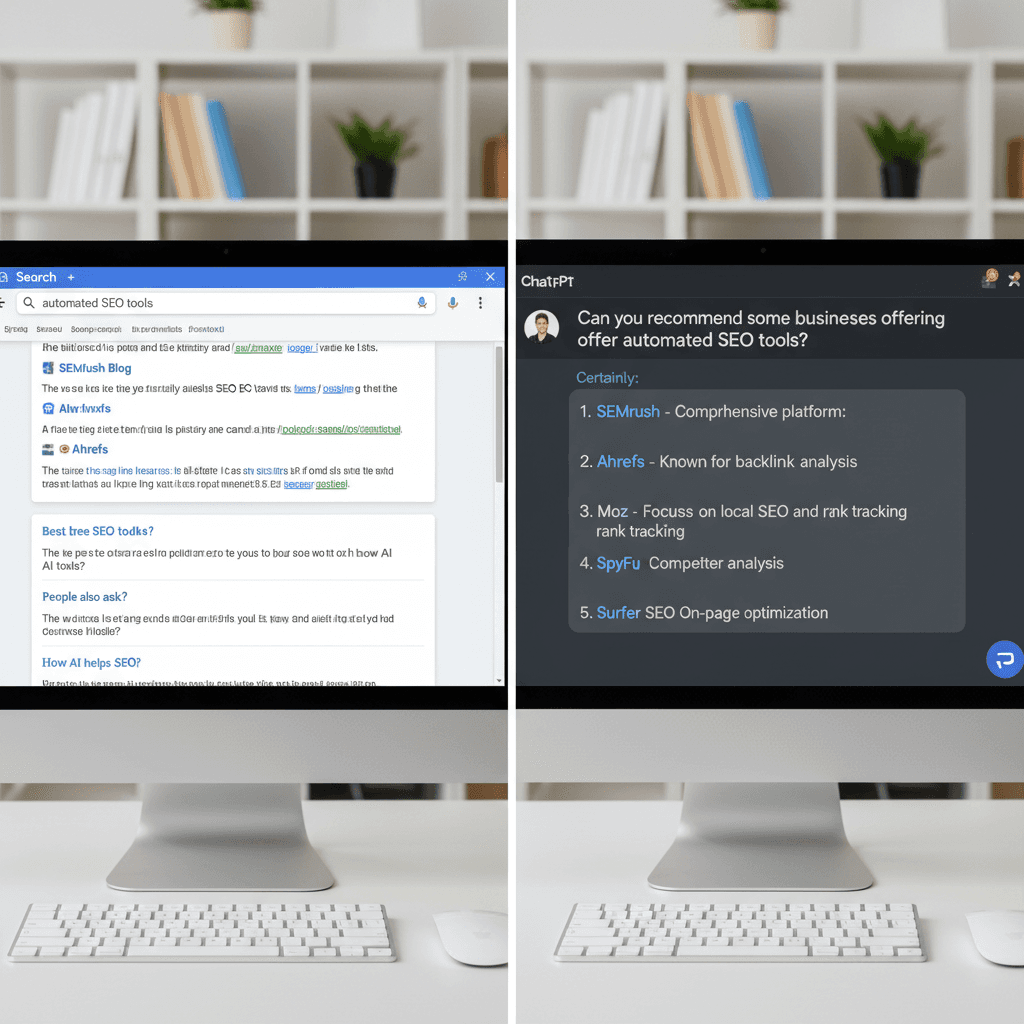
Moonrank was built specifically for this dual challenge: automated daily content that ranks on Google while simultaneously increasing your brand's visibility across ChatGPT, Gemini, Claude, and Perplexity. At $99/month, it costs a fraction of what traditional agencies charge for less comprehensive coverage.
Step 3: Configure Automated Keyword Research
Automated keyword research identifies the exact terms and questions your target audience uses across both traditional and AI search engines, then continuously updates those targets as trends shift.
Set Up Your Seed Keywords
Every automated SEO tool needs a starting point. Your seed keywords are the core terms that describe your business, products, and services.
List 10-15 terms that describe what you sell or do. Be specific. "Plumber in Austin" is better than just "plumber."
Add 5-10 questions your customers frequently ask before buying. For example: "How much does a kitchen remodel cost?" or "What's the best CRM for small businesses?"
Input these seeds into your automated SEO tool's keyword research module.
Review the tool's expanded keyword suggestions, which typically include long-tail variations, related queries, and question-based phrases.
Approve or refine the keyword clusters the tool generates. Most platforms group related terms automatically.
Prioritize for AI Search Intent
Here's where 2026 keyword strategy diverges from what worked even two years ago. AI search engines don't just match keywords. They interpret intent and context. Research from Gartner projected that by 2026, traditional search engine volume would decline by 25% as AI-powered alternatives gained adoption [1].
When configuring your keyword research automation, prioritize:
Conversational queries: phrases people would speak aloud or type into ChatGPT (e.g., "What's the best automated SEO tool for a small business?")
Comparison and recommendation queries: terms like "best," "top," "vs.," and "alternative to" that trigger AI recommendation responses
Problem-solution queries: searches framed around pain points rather than product names
Moonrank's keyword research engine is tailored to this exact need. It identifies not just high-volume Google keywords, but also the conversational queries that AI engines use when generating brand recommendations. This dual approach ensures your content strategy covers both traffic channels.
Pro Tip: Update your seed keywords quarterly. As of 2026, AI search query patterns shift faster than traditional Google trends because AI engines encourage more natural, evolving language from users.
Step 4: Set Up Automated Content Publishing
Automated content publishing generates and posts SEO-optimized articles to your website on a consistent schedule, typically daily, without requiring you to write, edit, or manually upload anything.
Connect Your CMS
Most automated SEO tools integrate directly with popular content management systems. The setup process is straightforward:
Navigate to your tool's integration or publishing settings.
Select your CMS platform (WordPress, Webflow, Shopify, etc.).
Authorize the connection using API keys or OAuth authentication. This usually takes under two minutes.
Designate a default blog category or content section where automated posts will appear.
Set your preferred publishing frequency. Daily publishing is ideal for building topical authority quickly.
Define Content Parameters
Automation doesn't mean abandoning quality control. Configure these settings to keep your content aligned with your brand:
Tone and voice: specify whether your brand voice is professional, conversational, technical, or casual
Content length: articles between 1,200 and 2,500 words tend to perform best for both Google and AI search citation [2]
Internal linking rules: automated tools should link new posts to existing pages on your site to strengthen topical clusters
Target keyword assignment: each article should target a specific keyword or cluster from your research in Step 3
In practice, the difference between mediocre and excellent automated content often comes down to how well the tool understands your niche. Generic content generators produce generic results. Moonrank's approach is different: it generates content specifically tailored to your business niche, informed by your personalized keyword research and competitive landscape analysis across AI search engines.
Industry analysts suggest that businesses publishing daily SEO content see measurable ranking improvements within 60-90 days, compared to 4-6 months for those publishing weekly [3]. The Content Marketing Institute's annual research consistently shows that content consistency is among the top factors separating successful content programs from underperforming ones. Consistency is the variable that separates results from stagnation.
Step 5: Optimize Technical SEO for AI Engines
Technical SEO optimization ensures that both traditional search crawlers and AI systems can properly read, understand, and cite your website's content.
Implement Schema Markup and Structured Data
Schema markup is code you add to your website that helps search engines understand the context of your content. For AI search engines, structured data acts as a trust signal. It tells ChatGPT, Gemini, and others that your content is well-organized and verifiable.
Identify which schema types apply to your business: LocalBusiness, Product, FAQ, HowTo, Article, and Organization are the most common.
Generate the JSON-LD code for each schema type. Your automated SEO tool should handle this, but you can verify output using Google's Rich Results Test.
Deploy the schema markup across your site's key pages: homepage, service pages, product pages, and blog posts.
Validate that the markup renders correctly and contains no errors.
Configure llms.txt and AI Crawlability
This is a 2026-specific optimization that many businesses still overlook. The llms.txt file is a relatively new standard that tells AI crawlers how to interact with your site, similar to how robots.txt guides traditional search bots [4]. The World Wide Web Consortium (W3C) continues to develop web standards that underpin how both traditional and AI crawlers interpret site content.
Create an llms.txt file in your site's root directory.
Specify which pages AI engines should prioritize when generating recommendations.
Include citation preferences, such as how your brand name should appear and which URLs represent your authoritative content.
Test accessibility by checking if AI engines can reach and parse your key pages.
Moonrank's technical AI audit handles all of this automatically. The platform scans your site, identifies gaps in schema markup, structured data, and AI crawlability, then implements fixes without requiring you to touch a line of code. For business owners without a developer on staff, this is the difference between getting recommended by AI engines and being invisible to them.
Research from Search Engine Journal indicates that sites with comprehensive structured data are 40-60% more likely to be cited in AI-generated responses compared to sites without it [5]. According to the Federal Trade Commission's guidelines on internet advertising, businesses should also ensure that all automated content and SEO practices comply with truth-in-advertising standards.
Step 6: Track AI Search Visibility Across Platforms
AI search visibility tracking monitors how often and how favorably AI engines like ChatGPT, Gemini, Claude, and Perplexity mention your brand in their responses to user queries.
Set Up Multi-Platform Monitoring
Traditional rank tracking tools measure your position on Google's search results pages. That's necessary but insufficient in 2026. You also need to know whether AI engines recommend your brand when users ask relevant questions.
Identify 20-30 high-priority queries your target customers ask AI search engines.
Configure your automated SEO tool to monitor these queries across ChatGPT, Gemini, Claude, and Perplexity.
Set up weekly or daily tracking intervals. AI responses can change frequently as models update.
Establish baseline metrics: how many of your target queries currently return a mention of your brand?
Interpret Your AI Visibility Data
Raw data isn't useful without context. Focus on these metrics:
Mention rate: the percentage of tracked queries where your brand appears in the AI response
Sentiment: whether mentions are positive, neutral, or negative
Position: whether your brand is the first recommendation, one of several, or mentioned as an afterthought
Competitor comparison: how your mention rate stacks up against competitors for the same queries
Moonrank provides all of these metrics in a single dashboard. Its competitive landscape analysis shows you exactly where rivals are being recommended and where opportunities exist for your brand to gain ground. This kind of AI search intelligence simply didn't exist in mainstream SEO tools two years ago.
Pro Tip: Don't obsess over daily fluctuations in AI search mentions. AI models update their training data and response patterns regularly. Track trends over 30-day windows for a more accurate picture of your visibility trajectory.
Step 7: Analyze Results and Iterate Monthly
Monthly analysis of your automated SEO performance reveals what's working, what's stalling, and where to adjust your strategy for maximum impact.
Review Key Performance Indicators
Set aside 30-60 minutes each month to review these core metrics:
Organic traffic growth from Google (via Google Analytics 4)
AI search mention rate across ChatGPT, Gemini, Claude, and Perplexity
Content output: number of articles published and their individual performance
Technical health score: schema coverage, crawl errors, page speed
Keyword ranking changes for your target terms
Conversion metrics: leads, sales, or signups attributed to organic and AI search traffic
Adjust Your Automation Settings
Based on your monthly review, make targeted adjustments:
Identify your top-performing content topics and instruct your tool to produce more content in those clusters.
Pause or revise keyword targets that haven't gained traction after 90 days.
Update your competitive analysis to catch new entrants or shifting competitor strategies.
Review and refresh older automated content that's lost rankings or relevance.
From experience, the businesses that see the strongest ROI from automated SEO tools are the ones that treat automation as a system to manage, not a button to press and forget. The automation handles the heavy lifting. Your job is to steer it.
Common Mistakes to Avoid
Even the best automated SEO tools can underperform if you fall into common traps. Here are the pitfalls that derail most implementations.
Ignoring AI Search Entirely
The most costly mistake in 2026 is treating SEO as a Google-only discipline. Many businesses invest in automated tools that optimize exclusively for traditional search while ignoring ChatGPT, Gemini, and Perplexity. As AI search adoption accelerates, this blind spot means losing an increasingly large share of potential customers.
Setting and Forgetting Without Review
Automation reduces your workload. It doesn't eliminate it. Businesses that never review their automated output often end up with:
Content that drifts off-topic or targets irrelevant keywords
Technical issues that accumulate unnoticed (broken schema, expired SSL certificates)
Missed opportunities to capitalize on trending topics in their niche
Duplicate or thin content that triggers quality penalties
Schedule that monthly review. It's the highest-leverage 30 minutes you'll spend.
Choosing Tools Based on Price Alone
Free or ultra-cheap automated SEO tools often produce low-quality content, lack AI search optimization features, and offer no technical audit capabilities. On the other end, paying $3,000+ per month for an agency doesn't guarantee better results if they haven't adapted to the AI search era.
The sweet spot is an automated platform that covers content, technical optimization, and AI visibility tracking at a sustainable price point. Moonrank hits this mark at $99/month with a 3-day free trial, making it accessible for SMBs without sacrificing the features that actually move the needle.
Publishing Volume Without Quality Signals
Flooding your site with daily content only works if that content meets quality thresholds. Each article needs proper headings, internal links, schema markup, and genuine relevance to your audience. Automated tools that skip these elements create noise, not authority.

Frequently Asked Questions
What are automated SEO tools and how
Recommended Articles
Explore more from our content library:
