Add Business Details to Google for Better AI Visibility
Learn how to add business details to Google so AI engines like ChatGPT, Gemini, and Perplexity can find, trust, and recommend your business.

Understanding Add Business Details to Google is essential. Complete, consistent business details are what let AI search engines like ChatGPT, Gemini, and Perplexity recommend your business at all, if your name, address, hours, services, and descriptions are missing or contradict each other across the web, these tools either skip you or recommend a competitor with cleaner data. Google remains the foundation because it is the most-crawled, most-trusted source, but AI engines cross-check that data against other platforms before surfacing you in an answer. The fix is making your business details accurate everywhere, not just complete in one place.
Why Complete Business Details Matter for AI Search Visibility
AI search engines assemble answers from dozens of fragments at once, so a business only gets named when its facts agree across every fragment the model checks.
How Do AI Search Engines Decide Which Businesses to Recommend?
ChatGPT and Perplexity do not rank a list of links the way Google Search does, they generate a single answer by pulling facts from multiple sources and deciding which business best matches what the user asked [3]. That means the model needs a clean, unambiguous signal before it will put your name in its response.
Google's own listing data plays a central role in that process because it is the most-crawled and most-verified source available [1]. But AI engines rarely stop there. They cross-reference your Google Business Profile against directory listings, your website's schema markup, and social profiles to judge whether the information is reliable enough to repeat [3]. If those sources line up, the model has grounds to recommend you with confidence. If they don't, it has grounds to skip you.
This is where the instructions to Add Business Details to Google matter beyond Google Search itself, the profile you build there becomes one of the reference points an AI engine checks before it decides whether your business is worth naming at all.
What Happens When Business Information Is Incomplete or Inconsistent?
Conflicting name, address, phone number, or hours across sources force an AI engine to either drop your business from its answer or surface outdated details that damage trust the moment a customer shows up to a closed door. Google's own guidance on local ranking makes the same point from the search side: businesses with accurate, current information are more likely to appear in results at all, while inconsistent info can keep a profile from showing up for relevant searches [2]. For an e-commerce brand or a B2B SaaS company, the stakes look different but the mechanism is identical, a prospect asking an AI engine "which platform handles inventory sync for Shopify" needs a confident, specific answer, not a hedge caused by conflicting data.
Incomplete profiles cause a quieter failure. A listing with no category, no description, and no services listed gives the model nothing concrete to match against a user's intent, so it has no basis for connecting your business to the query in the first place [1]. This is the gap Moonrank's technical audit targets directly, filling in structured data, service descriptions, and category signals so AI engines have something specific to match against, rather than a blank profile they have no reason to surface.
What to Include When You Add Business Details to Google for AI Discovery
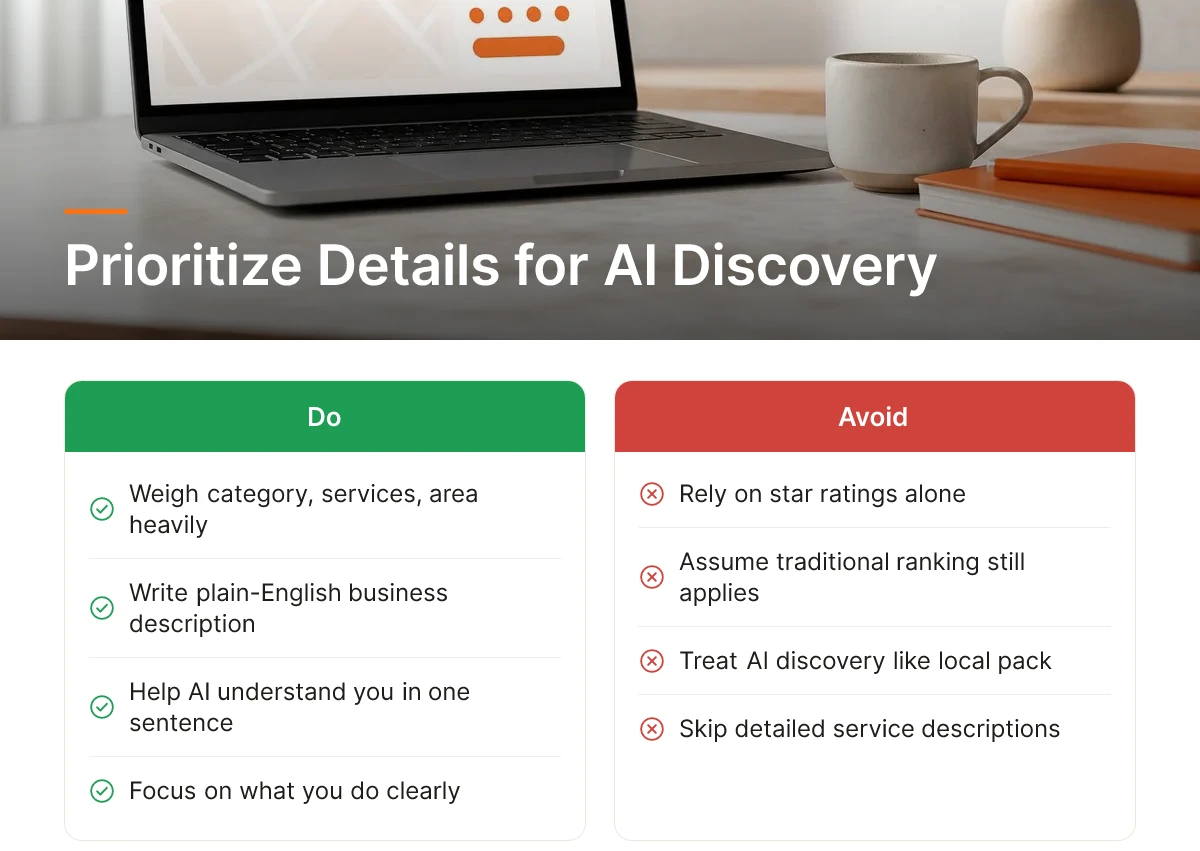
AI search tools weigh business category, services offered, service area, hours, and a plain-English description of what you do more heavily than star ratings alone.
Google's own guidance on business details covers claiming a listing, registering a site with Search Console, and updating the knowledge panel [1]. That's the baseline. But when you add business details to Google with AI discovery in mind, the priority shifts: an AI engine summarizing results for a user needs to understand your business in a sentence or two, not just rank it against ten nearby competitors.
Which Business Details Matter Most for AI Recommendations Versus Traditional Search?
Traditional Google Search leans on proximity, review volume, and keyword matching inside your listing [2]. Google's own ranking tips tell businesses to keep information accurate, respond to reviews, and add photos, all signals tuned for a map pin and a click [2].
AI search engines work differently. ChatGPT, Gemini, and Perplexity generate a written recommendation, so they pull from whatever source most clearly explains what your business does and who it's for [3]. A business with five-star reviews but a vague description still loses out to a competitor whose website spells out exactly what it sells, where it operates, and what makes it different.
How Do Structured Data and Business Schema Affect AI Search Visibility?
Structured data, often called schema markup, is a set of labels embedded in your website's code that tell search systems "this is a hotel," "this is a SaaS product," or "this is a retail store", directly from the source, not inferred [1]. Google explicitly recommends adding structured data as part of establishing business details [1]. AI engines rely on the same labels to confirm facts before including a business in a generated answer.
Industry details change what matters most. A SaaS company needs a clear product description and specific use cases, not just a tagline. A hotel needs amenities, room types, and booking details spelled out, not buried in a PDF. An ecommerce brand needs product categories, shipping policies, and return terms visible in structured, parseable form. Moonrank handles this technical layer automatically, implementing schema markup, llms.txt configuration, and structured data so AI engines can parse and trust a business's content without the owner touching a line of code.
How to Keep Your Business Showing Up Consistently Across Google and Other Platforms
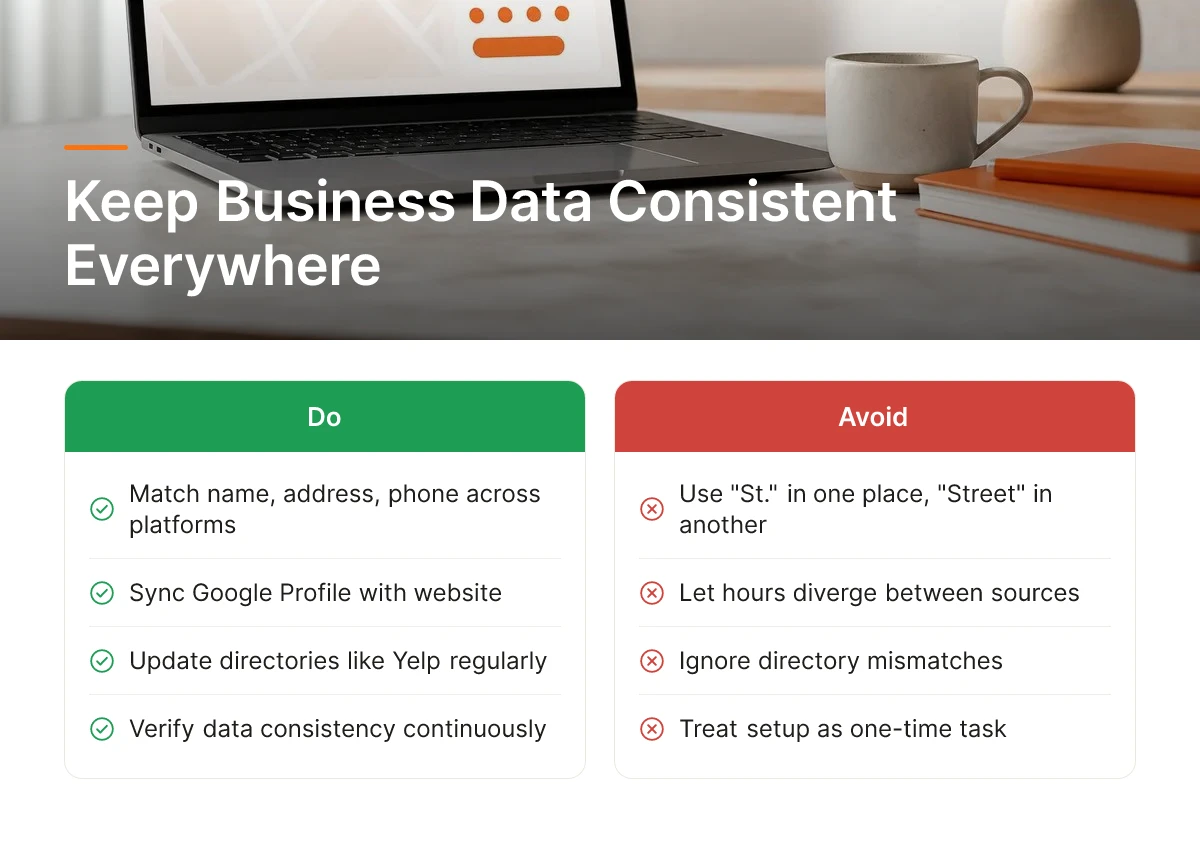
Staying visible isn't a one-time setup, AI engines re-check your business data against multiple sources continuously, and any mismatch chips away at trust.
Large language models don't take a single listing at face value. They cross-reference your name, address, phone number, and hours across your website, your Google Business Profile, and major directories like Yelp or TripAdvisor. When those sources agree, the engine treats the data as verified. When they diverge, even on something as small as "St." versus "Street", the model has no reliable way to know which version is current, so it either hedges its recommendation or skips your business entirely. This is why updating one profile and calling it done rarely works. Add Business Details to Google and then confirm that same information appears, word for word, everywhere else a customer or an AI crawler might find it. For more information, see Google Castle Experiment.
What Are the Common Reasons Business Profiles Get Rejected or Fail Verification?
Most rejections trace back to formatting mismatches, unverifiable addresses, or duplicate entries that confuse both Google and AI crawlers.
- Address formatting inconsistency: "Suite 200" on your website but "Ste 200" on your Google listing reads as a potential mismatch rather than a typo.
- Missing phone verification: Google typically verifies ownership through a call or text to the listed number [1]; an unanswered verification call stalls the whole process.
- Duplicate listings: Old locations, rebrands, or agency-created profiles from years ago often linger and compete with your current listing for the same search intent.
- PO boxes instead of physical or service addresses: Google requires a real location or defined service area for most business categories [1]; a PO box alone typically fails review.
How Should Different Industries Approach Business Detail Optimization Differently?
Different business types verify different details, menus for restaurants, service radius for providers, delivery-only status for ecommerce.
Restaurants need accurate menus and real-time hours, since customers with reviews and complete info are more likely to appear in relevant local searches [2]. Service providers (plumbers, consultants, cybersecurity firms serving clients remotely) should define a clear service-area radius rather than a single storefront address. Ecommerce businesses without a public-facing location should mark their listing as online-only or delivery/service-area, so Google and AI engines don't flag a missing physical address as incomplete data.
Build a quarterly habit: pull up your website, your Google listing, and two or three major directories side by side and look for drift in hours, phone numbers, or service descriptions. Catching a stale listing in month three is far cheaper than losing a customer's trust in month six.
Google Business Profile Versus AI Search Optimization: What's the Difference?
Google Business Profile optimization competes for the local pack and Maps; AI search optimization competes to be the business an AI engine cites by name in its answer.
Both depend on accurate business information, but they are not the same job, and treating them as identical is how businesses end up visible on Maps yet invisible in ChatGPT or Perplexity results. Understanding where they overlap, and where they split, determines whether the work you put in pays off on both surfaces or just one.
Can You Optimize for Both Google Local Search and AI Search Engines at Once?
Yes, the two systems share a common foundation, so getting it right once covers most of the work for both.
Accurate name, address, and phone number (NAP), correct business categories, and up-to-date hours feed Google's local ranking systems directly [2]. They also feed AI engines, which pull from the same business data when deciding who to recommend. Google's own guidance confirms that claiming and verifying your listing, then keeping address, contact info, and business type current, is the starting point for showing up in Maps and the knowledge panel [1]. None of that effort is wasted, it's the shared base layer both systems read from.
Why Do Some Businesses Rank Well on Google Maps but Not Get Recommended by AI Search Engines?
A business can earn a strong local pack position through reviews and proximity while still getting skipped by AI engines that rely on structured, crawlable website content.
Google explicitly ties local ranking improvements to relevance, distance, and prominence signals like reviews and complete business information [2]. None of those factors require your website to explain, in plain text and structured data, what you actually do. AI engines work differently: they generate answers by pulling from content they can parse and trust, which means a thin or poorly marked-up website gets passed over even if your Maps listing looks great [3]. This is the gap that catches most SMB owners off guard, a five-star Maps profile does not automatically translate into an AI recommendation.
A complete approach to Add Business Details to Google covers the listing and the website. Google's documentation describes adding structured data, registering your site with Search Console, and highlighting support details as ways to help Google understand your official site beyond the Maps listing [1]. AI engines lean on that same structured data, plus clear, descriptive on-site content, to decide who gets cited. Moonrank handles this second layer automatically, building schema markup, llms.txt configuration, and daily content so e-commerce and B2B SaaS sites give AI engines something to actually cite, not just a correct address.
How to Measure Whether Your Business Details Are Driving Discovery
Track direction requests, calls, and website clicks from your Business Profile alongside mentions in AI-generated answers, complete data alone proves nothing without usage.
Business owners often treat profile completion as the finish line. It's the starting point. The real test is whether a more complete profile and better structured data change how often customers find you and act on it, through clicks, calls, visits, or a recommendation from an AI assistant.
What Metrics Show Whether Your Business Details Are Working Across AI and Traditional Search?
On the Google side, watch direction requests, phone calls, and website clicks reported in your Business Profile, these are the clearest signals that accurate, up-to-date details are reaching people who act on them [2]. A jump in calls after you update your hours or add service categories is a direct signal the edit mattered, not just cosmetic housekeeping.
On the AI side, the signals look different and are harder to pin down. Watch for referral traffic patterns that trace back to AI platforms, and watch for your business name showing up, correctly described, when someone asks an AI engine for a recommendation in your category [3]. For an e-commerce store, that might mean a product search in ChatGPT surfacing your brand. For a B2B SaaS company, it might mean Perplexity naming your tool when someone asks for alternatives to a competitor.
How Do You Track Which Discovery Platform Is Actually Sending You Customers?
Start with referral data in your analytics tool, then confirm it with a direct question: ask new customers how they heard about you. Referral logs tell you the path a visitor technically took; asking fills in what the data can't, especially when the path is murky.
That murkiness is common with AI-driven discovery. When an AI engine recommends your business, the user often doesn't click a tracked link, they read the answer, then open a new tab and type your business name directly, or visit your site from memory. That shows up in analytics as direct or branded traffic, not as a referral from "chatgpt.com" or "perplexity.ai." If you only trust referral tags, you'll undercount AI-driven visits and conclude the work isn't paying off when it actually is.
The more reliable check is a manual one: periodically type your own business queries into ChatGPT, Gemini, and Perplexity, "best [your category] in [your city]," or your own business name, and see whether you're mentioned, how you're described, and who you're up against. Do this monthly, not once, since AI answers shift as these engines re-crawl and re-rank sources.
Doing that by hand across four engines, every month, for every relevant query, doesn't scale past a handful of searches. This is the gap Moonrank's AI search visibility tracking is built to close, it monitors how your business appears across ChatGPT, Gemini, Claude, and Perplexity automatically, so you see the trend line instead of guessing from a few spot checks.
Frequently Asked Questions
Do I need to update my business details on every platform separately?
Yes, each platform, Google Business Profile, your website's schema markup, directory listings, and review sites, stores its own copy of your data [5]. Google does not automatically sync changes across the web. You update Google's knowledge panel and Search Console separately from your site's structured data [1], and third-party directories need their own edits too.
How often should I review my business information for accuracy?
Check your business details at least quarterly, and immediately after any change to hours, address, or phone number. Google explicitly ties accurate, up-to-date information to better local ranking performance [2]. A stale address or outdated phone number can cost you visibility in both Google Search and AI-generated answers.
Does having a complete Google Business Profile guarantee AI search engines will recommend me?
No, a complete profile helps but doesn't guarantee a recommendation from ChatGPT, Gemini, Claude, or Perplexity. AI engines decide which businesses to surface based on broader signals, including how clearly your content answers customer questions and whether your information appears consistently across multiple sources [3]. Google Business Profile accuracy is one input among several, not the full answer.
What's the fastest way to spot inconsistent business information across the web?
Search your business name alongside your address and phone number, then compare what Google, your website, and major directories each display. Mismatches in hours, categories, or contact details usually surface within the first page of results. Moonrank's AI search visibility tracking flags these gaps automatically across ChatGPT, Gemini, Claude, and Perplexity, rather than checking each engine by hand.
Should I prioritize Google Business Profile or my website's schema markup first?
Start with your Google Business Profile since it's the most-crawled source and the quickest to verify, then move to schema markup, since AI engines lean heavily on structured website data to confirm what your profile claims. Neither replaces the other, Google's own guidance treats claiming your listing and adding structured data as complementary steps, not substitutes [1].
Conclusion
Accurate business details on Google remain the foundation, but they're no longer the finish line. Claim and verify your profile [1], keep information consistent everywhere it appears [2], and recognize that AI engines weigh signals Google's own documentation doesn't fully cover [3]. Consistency across your website, directories, and structured data matters more than perfecting any single listing.
Your next step: run a quick audit this week comparing your Google listing, website schema, and top three directory profiles for mismatches. If you want that checked automatically across ChatGPT, Gemini, Claude, and Perplexity instead of doing it by hand, Moonrank tracks it for you at www.moonrank.ai.
Sources & References
- Add Business Details to Google | Google Search Central | Documentation | Google for Developers
- Tips to improve your local ranking on Google - Google Business Profile Help
- How to Get Your Business Found in ChatGPT & AI Search
- Edit your Business Profile - Google Business Profile Help
Recommended Articles
Explore more from our content library: